




Configure: scale at will
Drag, drop, done—no programming required
Our configuration package offers ultimate command over your operations. Monitor data, control equipment, and engineer better outcomes without technical dependencies or downtime.
Leave traditional systems in the past
Escape the black box of inaccessible automation
Traditional SCADA systems force you into expensive support cycles that take weeks and cost thousands for changes you should be able to make yourself. Growing operations get held back by inflexible automation programmed months or years ago, but updates are difficult. Equipment additions get delayed waiting for programmers, simple logic changes require costly fees, and emergency modifications become impossible with unreliable technical support. Worst of all: waiting means downtime, and downtime means money.
meet the new standard for industrial operations software
Configure is our most comprehensive package, with everything in Monitor + Control packages, plus advanced engineering tools
Ultimate visibility, intelligent automation and secure remote control
- Reliable real-time data on intuitive facility, equipment, and sensor-level dashboards
- Easy access to control narratives and set-point adjustment for precision automation
- Custom report templates with scheduled send and historical data with redundant storage for safe keeping
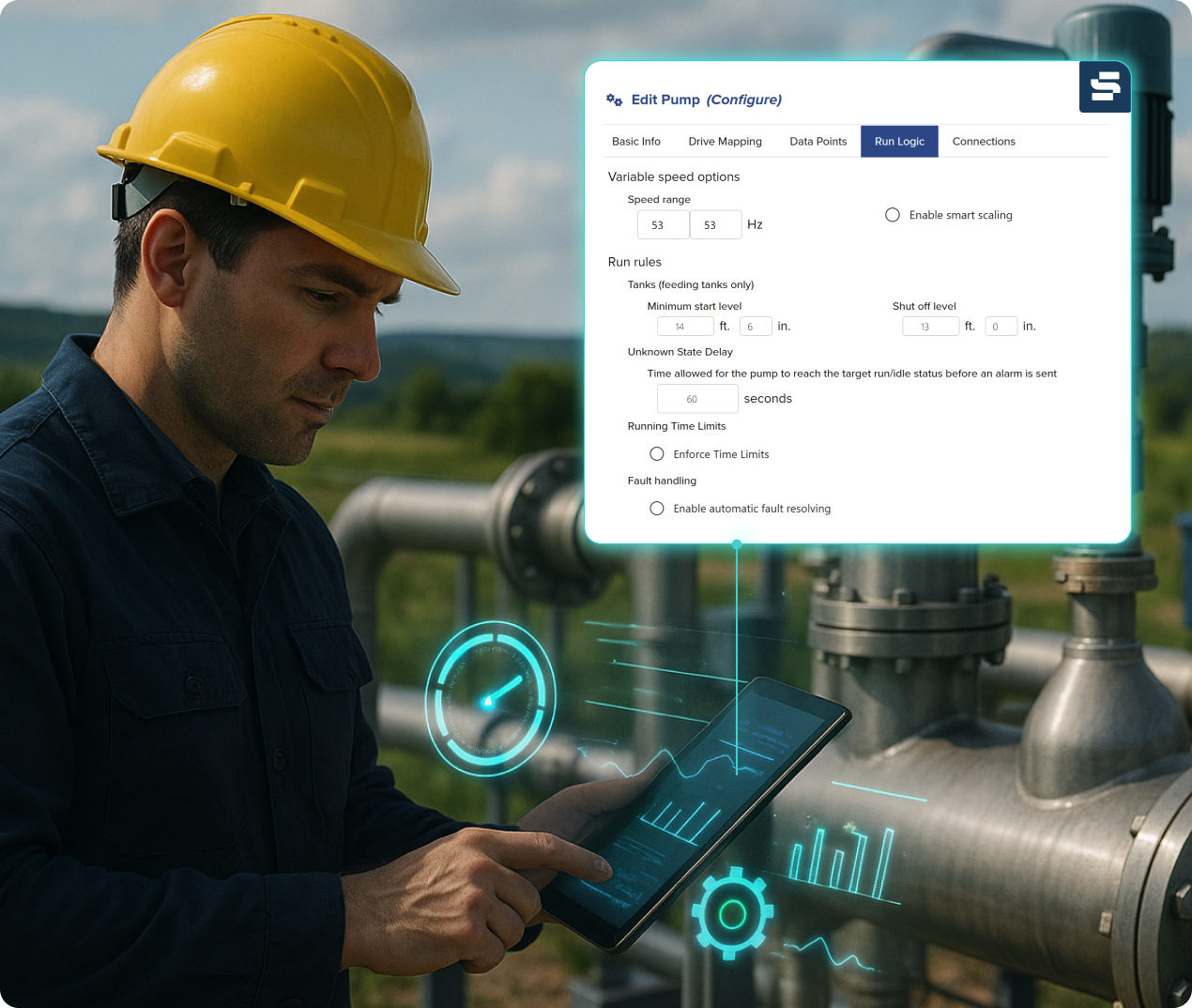
Add, remove, and reconfigure equipment in your software with no code required
- Custom equipment icons realistically represent your devices
- Add or remove any device in just a few clicks
- Create or change equipment connections and automation via basic logic, custom equations, or quantum inputs
Dive deep into intricate device management
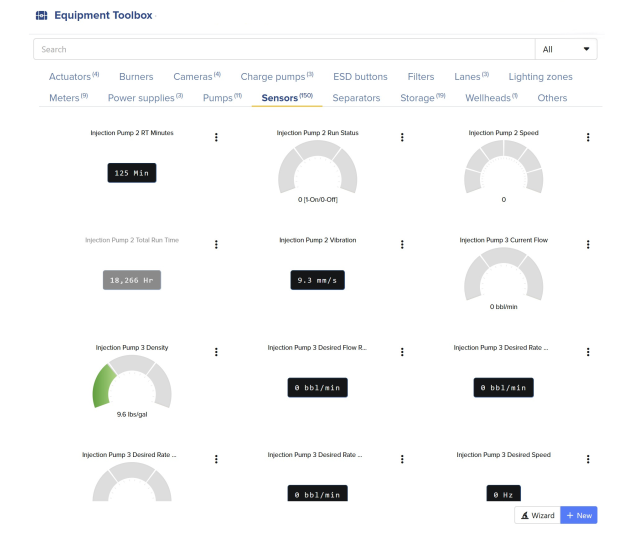
- View, edit, add, or remove every data point connected to SitePro – from sensors, filters, meters, power supplies, pumps, motors, and cameras.
- Manage every I/O device, recorded by name, model, register address and control box label
- Map drives, update run logic, change connections and see advanced options for precision engineering of your operations
Configuration templates so you don’t have to start from scratch
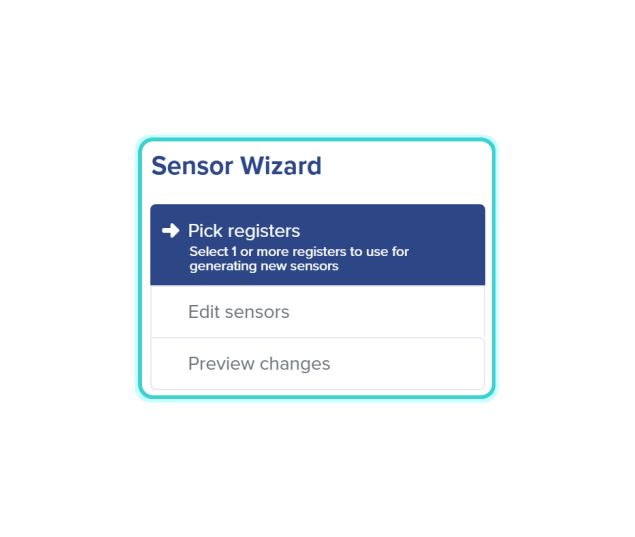
- Choose from available registers or edit existing connections
- Walk through new register set-up with best-in-class engineering standards
- Preview equipment changes before anything goes live on your site
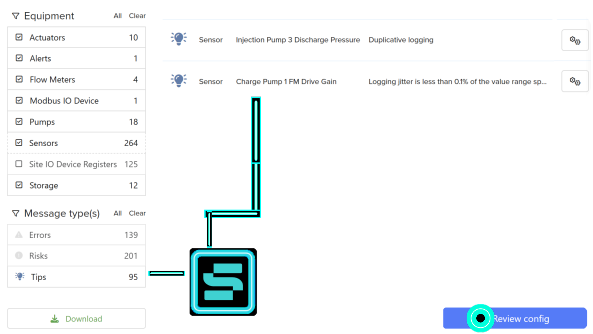
A personal site dashboard with actionable tips, risks, and errors
- Review configuration of your operations with a built-in advisor for best practices
- Sort by equipment type, message type, or search for specific issues
- Make changes directly in each message – no clicking around looking for specific device settings
Package Comparison
Package Comparison: Why Choose Configure?
Configure is the most empowering package for operators who want complete control over their automation without technical dependencies.

Essential tools for real-time visibility and alerts
Good for: Operations needing oversight and notification systems
Considerations: Remote control and configuration changes require additional packages

Advanced monitoring capabilities plus remote equipment control
Good for: Operations needing hands-on remote management and custom dashboards
Consideration: Equipment additions and configuration changes still require technical support

Full suite of features with drag-and-drop configuration tools
Good for: Operations wanting to make developmental changes without a technician or engineer
Considerations: Equipment Wizards and no-code tools provide unlimited configuration flexibility
Customize: Tools for Every Challenge
Choose from popular add-ons for complete mastery of your operations
Go beyond basic automation with purpose-built modules. Choose only what you need, when you need it.
FAQ
Answers to your most common questions
Site and equipment configuration refers to the process of defining how field devices, sensors, and control equipment connect and interact within a monitoring and automation platform. Traditionally, this requires a specialized programmer or technician to edit control logic, create new connections, and set operational thresholds. SitePro’s Configure package gives users direct access to manage and update their own system configuration as equipment is added, removed, or replaced. This self-service flexibility saves time, reduces costs, and accelerates deployment across your operation.
In most SCADA or automation systems, even small changes, like adding a new pump, adjusting a pressure alarm, or changing a formula in a flow calculation, require waiting on external technicians. That downtime translates to higher costs and slower progress. With SitePro, users can make these updates instantly within the platform, without coding or vendor intervention. This means your team can evolve and scale your system as fast as your field operations grow, keeping your data, logic, and automation aligned in real time.
SitePro users can add or remove devices, adjust logical connections, create or edit control equations, set custom thresholds or alerts, and reconfigure automation sequences directly from the software interface. The system automatically updates the associated visualizations, reports, and control logic, ensuring consistency across your sites. Whether you’re adding a new tank, updating a pump schedule, or refining process logic, you have full control with no reprogramming or downtime required.
SitePro’s configuration tools are built with both usability and safety in mind. A user-friendly interface walks authorized users through equipment setup and logic creation step-by-step, while role-based permissions ensure only approved personnel can make or deploy configuration changes. All updates are tracked and logged for compliance and traceability. The result is a faster, safer, and more flexible approach to managing automation systems. The goal is empowering your team without compromising control or reliability.
Resources & Press